01
Recall
Find the clip without reopening the work behind it.
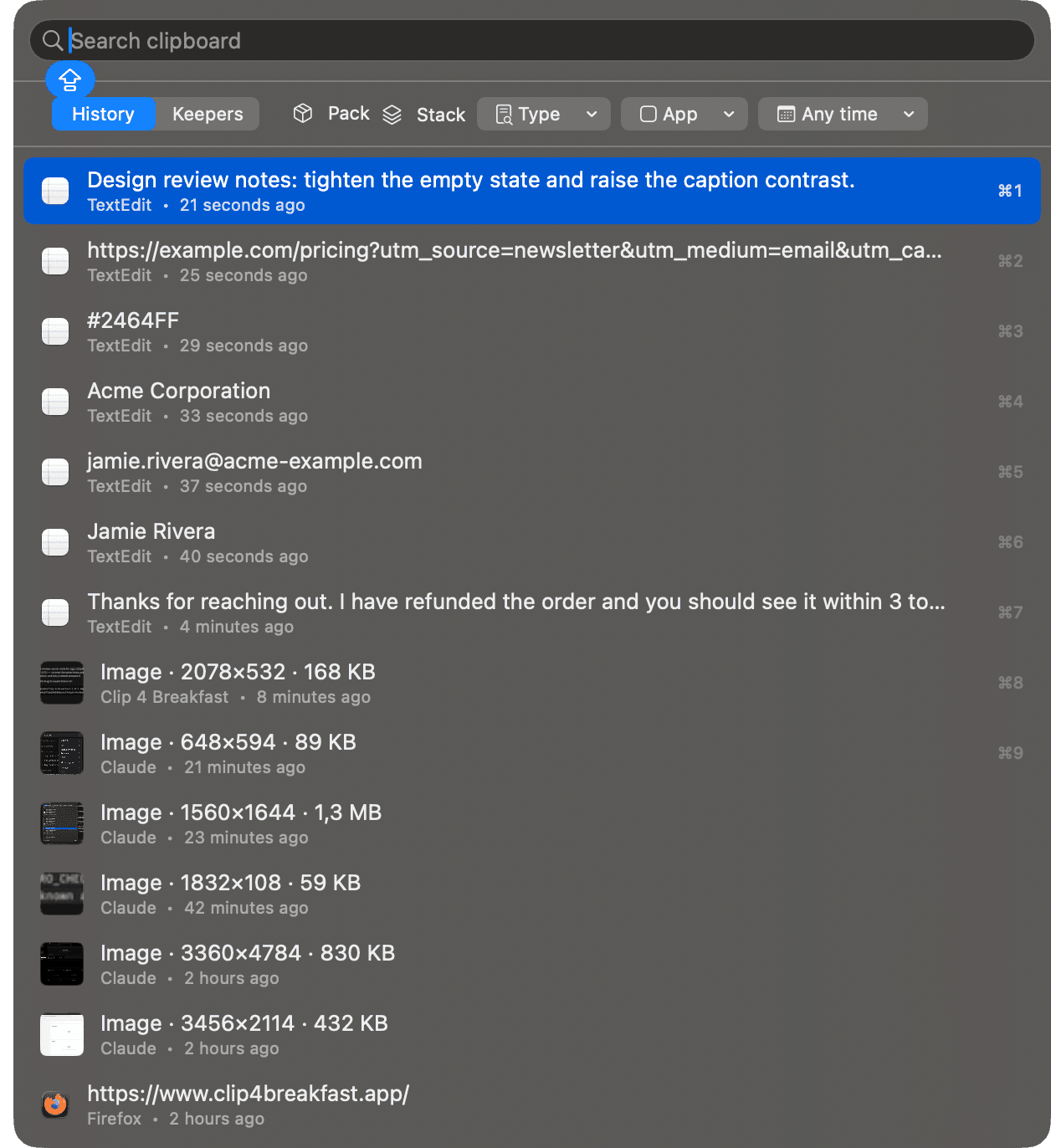
From copy to completion
One keyboard command center carries copied material through the whole workflow. History is the starting point, not the destination.

Find the clip without reopening the work behind it.
Turn temporary material into a named working set.
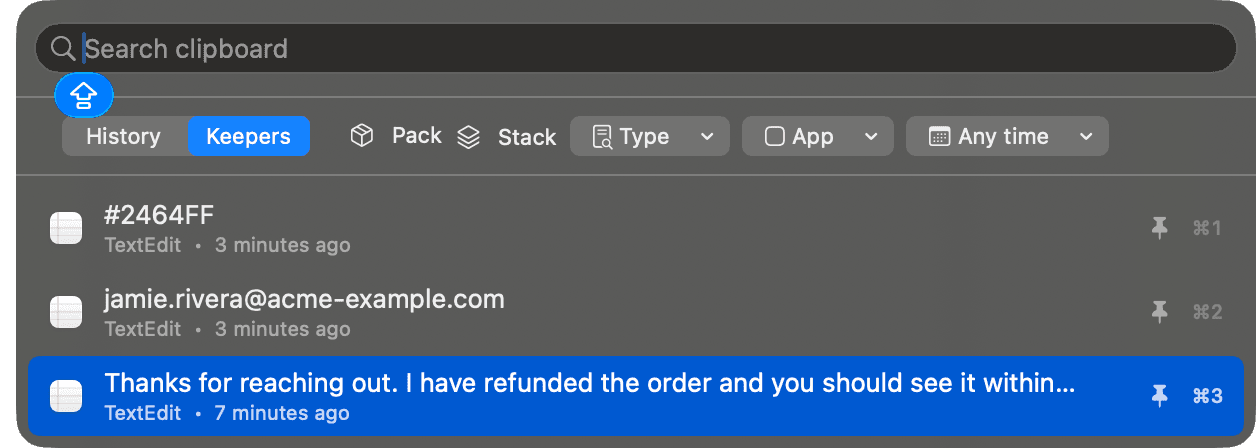
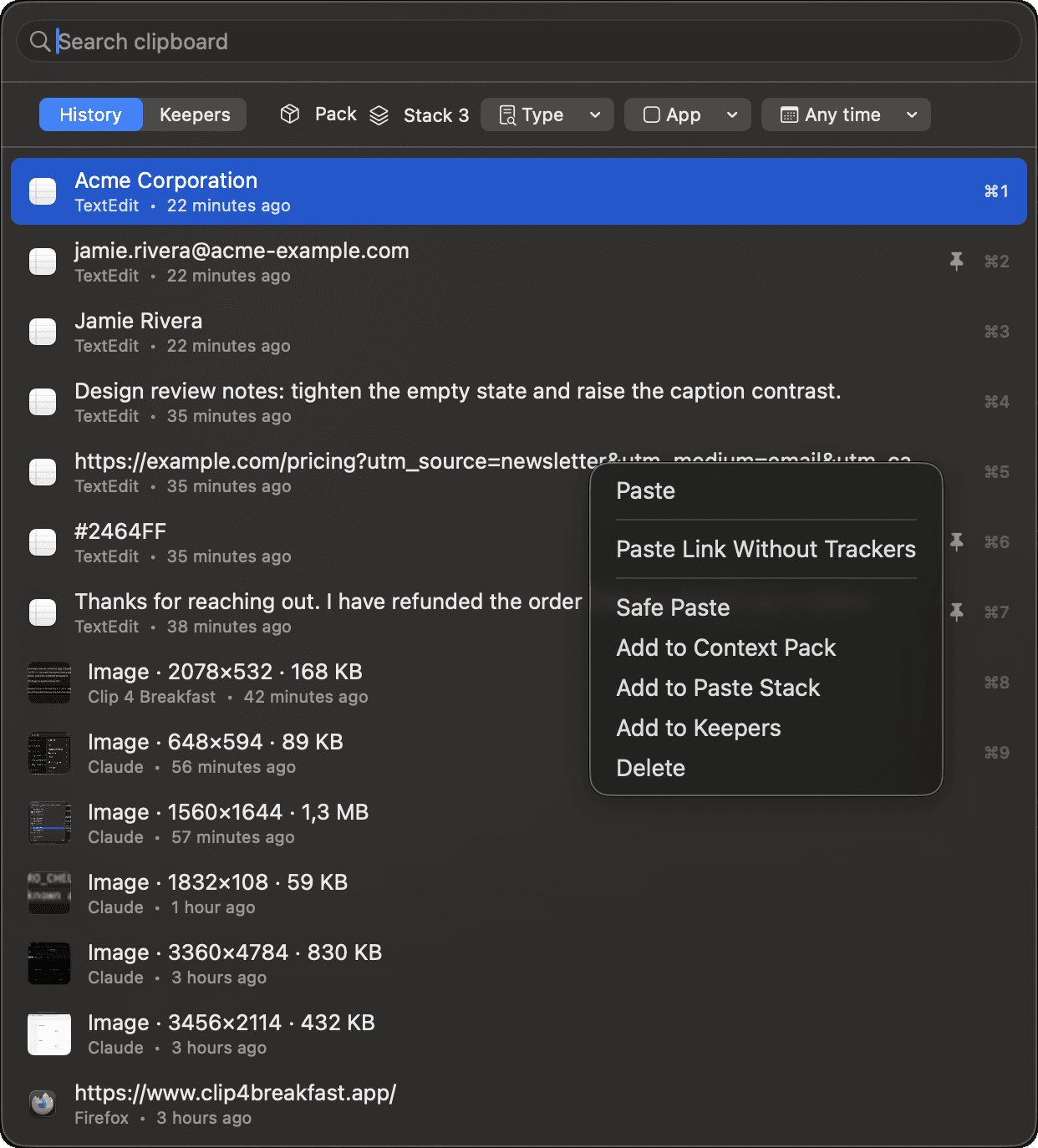
Change one paste without changing the stored original.
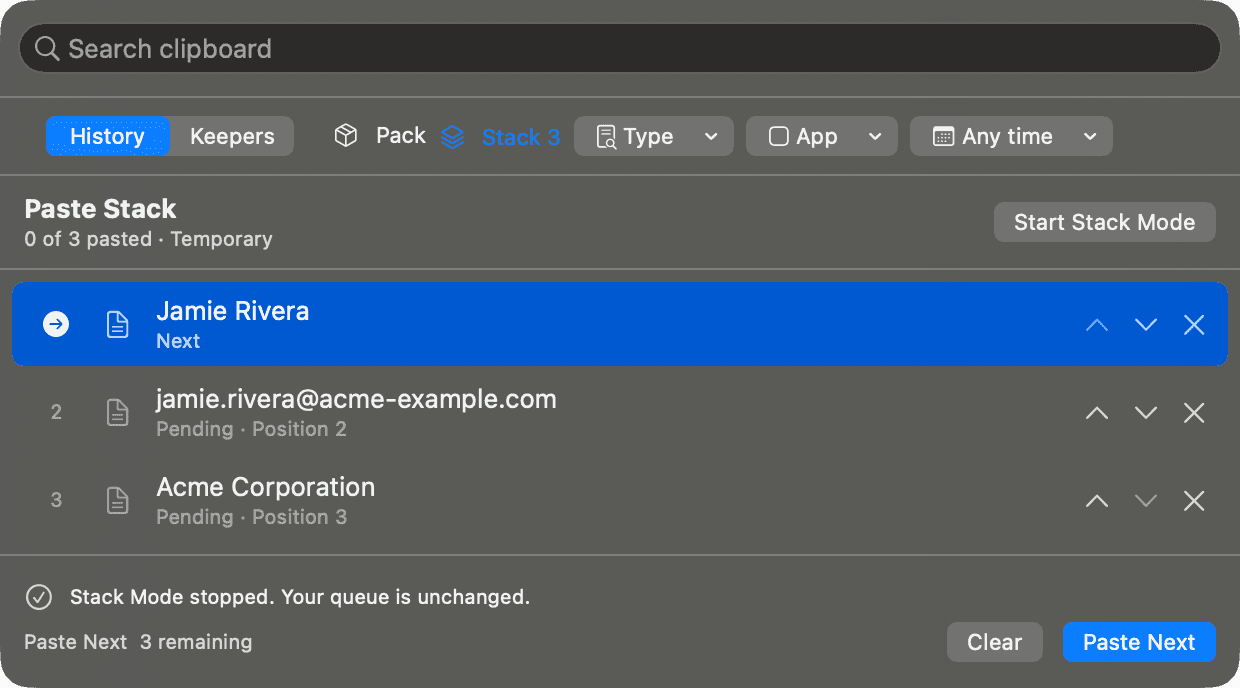
Paste a prepared sequence in order.
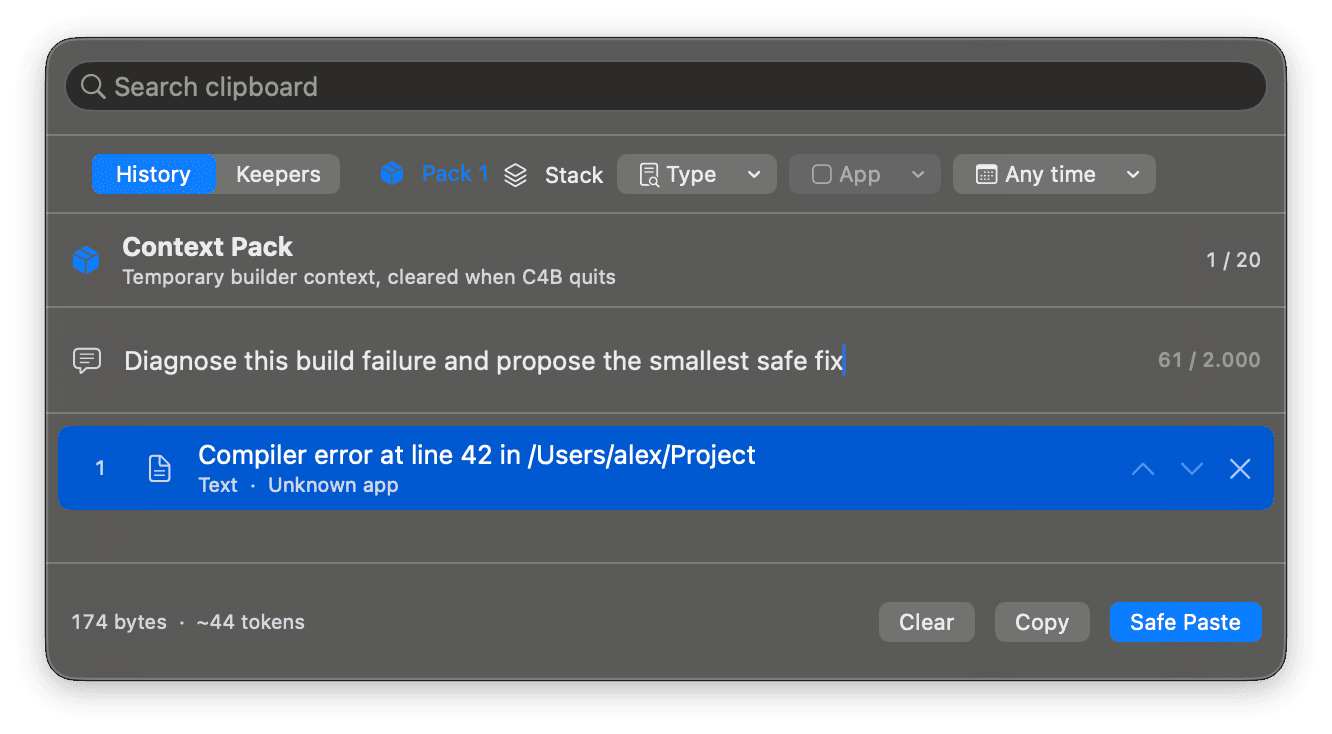
Code, errors, links, file paths, and image metadata stay in the order you choose. The pack stays in memory and clears when Clip 4 Breakfast quits. Add an instruction and inspect the rendered size before copying.
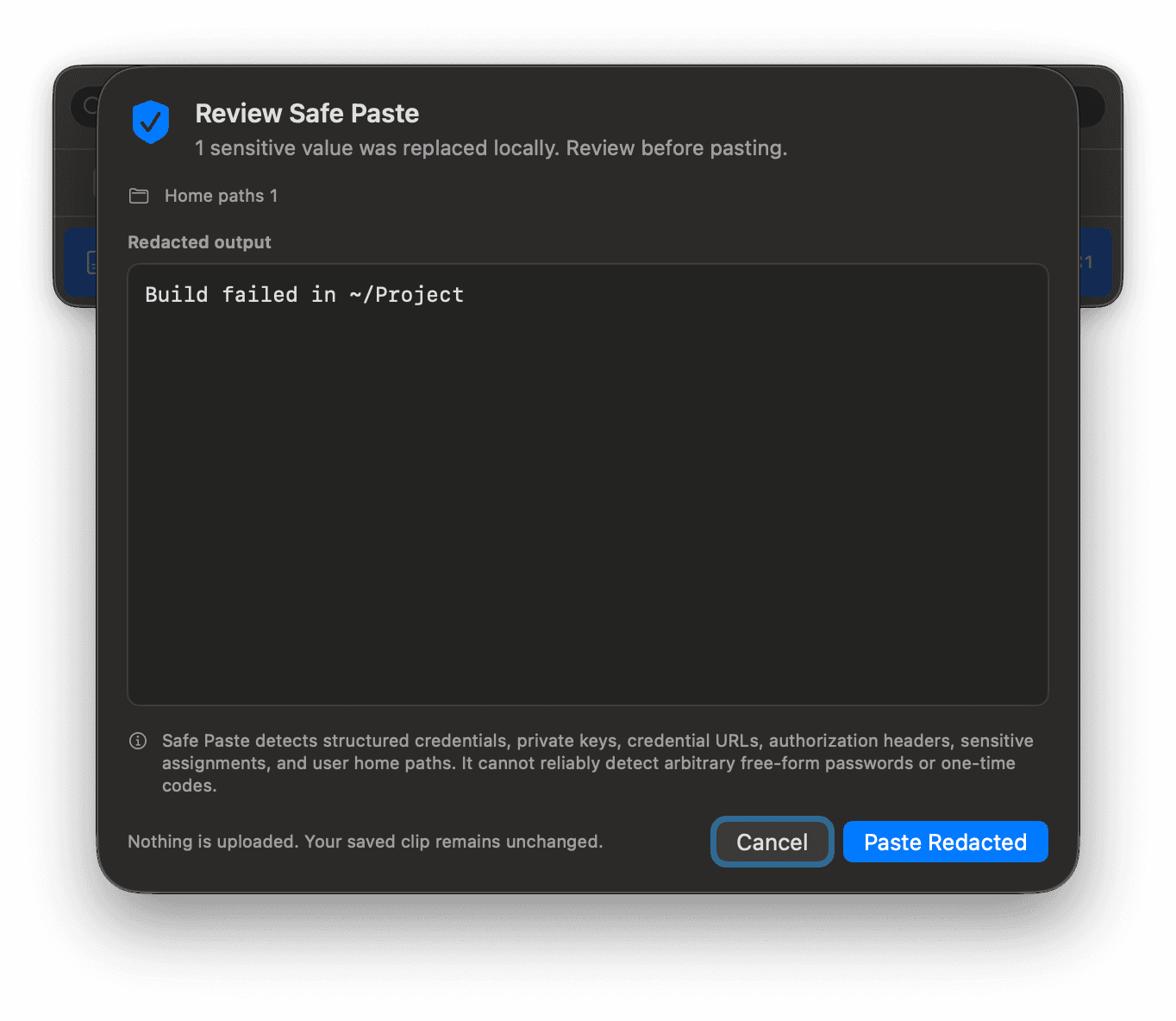
Supported sensitive patterns are replaced locally. You review the redacted result before it is pasted. Saved history stays unchanged.
Collect five values into Paste Stack, switch to the destination, then paste the next value with Control-Option-V. Completed items stay visible. A failed delivery keeps the same item next so you can retry or copy it safely.
Move a support reply into Keepers, give it a name, edit the text when the policy changes, and find it by name the next time. Keepers are excluded from ordinary history cleanup.
Choose Paste As to strip supported tracking parameters from one paste. The original URL remains in history exactly as copied.
Press the Plate Screenshot shortcut, click a window, and the capture returns to your clipboard framed on a designed backdrop with padding, rounded corners, and a soft shadow. The raw capture stays in history beside the framed one, so you can re-plate it on another backdrop later. See how Plate Screenshot works.
A complete copy loop
Download Clip 4 Breakfast and use one keyboard surface from the first recall to the final delivery.