
Not another clipboard history.
Copying is only the beginning.
- 01Recall
- 02Keep
- 03Transform
- 04Deliver
One keyboard command center carries copied material from the moment you need it to the moment the work is done.
Download for macOSUniversal · Apple Silicon and Intel · 7.2 MB · macOS 14.0 or later · Signed and notarized by Apple.
- No login
- No tracking
- No subscription
- Private and offline
- One-time purchase
- Visible footprint
One shortcut. Four connected outcomes. Explicit limits.
Bounded by design
Powerful workflows. Visible limits.
The app shows what it keeps, what it rejects, and what it costs your Mac right now.
- What stays
- Items, database, and image storage
- What stops
- Count, age, and image-budget limits
- What it costs
- Current memory, visible inside the app
Live values from this Mac and this session. Captured 16 August 2026 from the shipped 1.0 release.
Real app. Real values.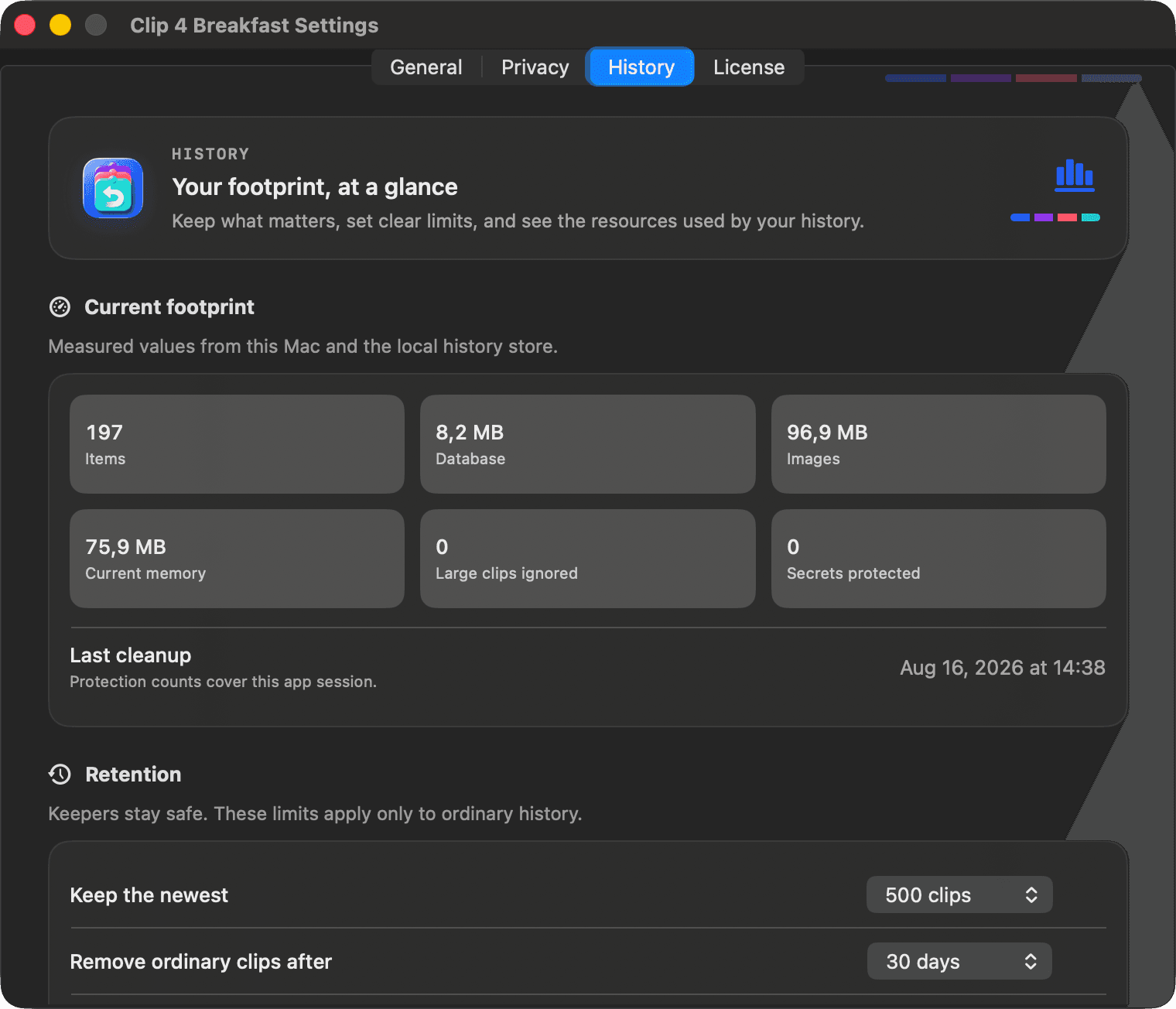
New in 1.5 · The screenshot studio inside
One less app on your Mac.
Beautiful screenshots are their own app category, with their own price and their own menu bar icon. But a screenshot was always going to your clipboard anyway. So it arrives finished: framed on a designed backdrop, padding, rounded corners, a soft shadow. One shortcut, no editor, nothing new to install.
⌃⌥S click a window ⌘V anywhere
And because your captures live in your history, you can re-plate one from last Tuesday. A screenshot app cannot do that. It never had a history to begin with.
Every pixel is processed on your Mac. No uploads, no account, and no Screen Recording permission.
See how it worksReal capture. Real output.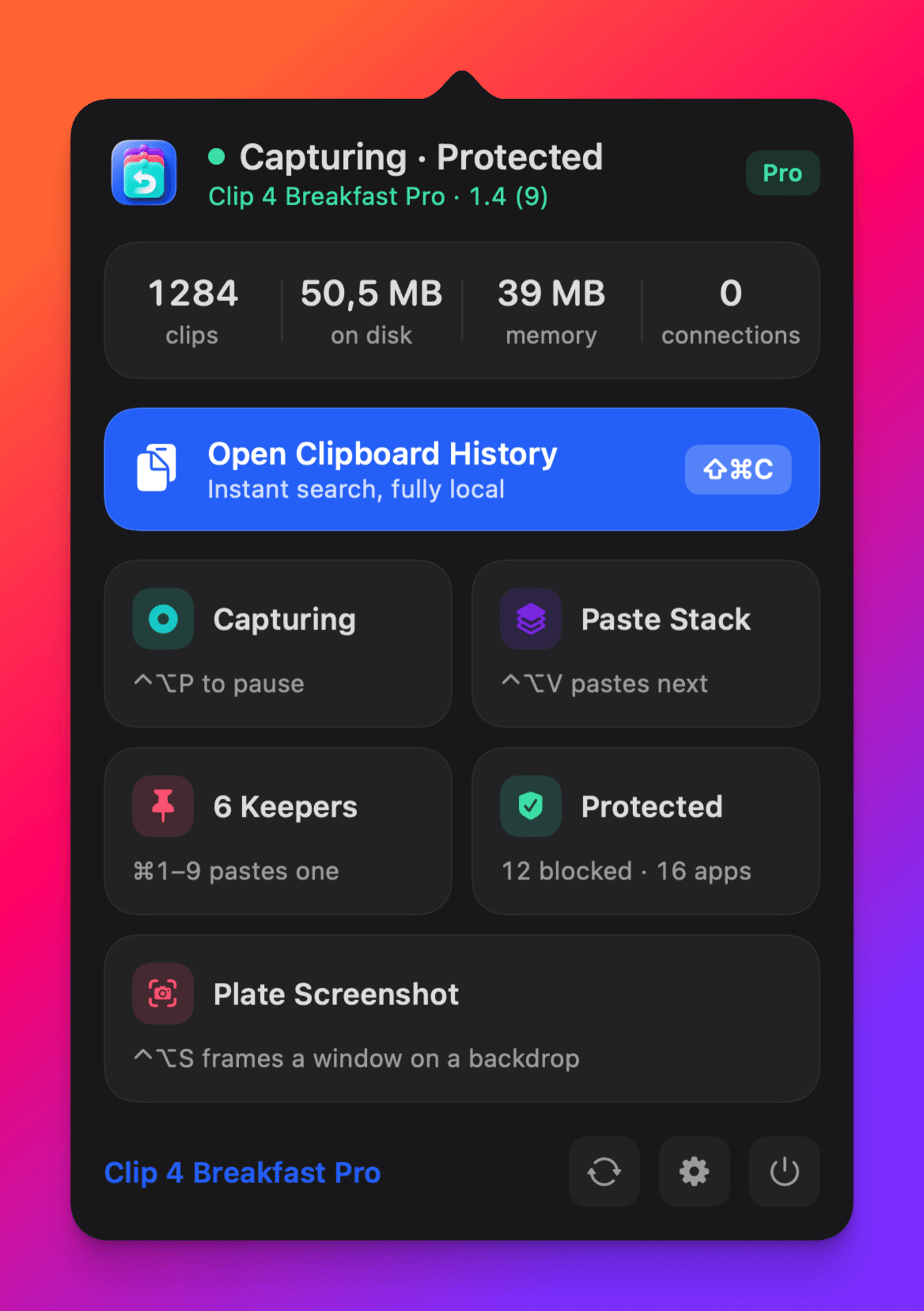
Ten designed backdrops. Candy is the default; Auto samples the shot itself.
 Studio
 Dawn
Dawn Sea Glass
 Aurora
Fidelity, not code
Copy the graphic. Paste the graphic.
Copy a PDF or vector from Illustrator, Photoshop, or Preview and paste it back intact, not the code underneath. The full graphic is written to disk and only a thumbnail stays in memory, so a history of heavy artwork never weighs on your Mac.
- What you copy
- A PDF or vector graphic from a design app
- What you paste
- The same graphic, into Photoshop, Pages, or anywhere
- What it costs
- The full data on disk; only a thumbnail in memory
Text fields still receive a plain-text fallback. Included in Free and Pro.
One graphic. Two truths.
Built for power users and builders.
From first copy to finished work.
Built for flow
Your hands stay in the work.
Actual shortcuts carry a clip from private recall to intentional reuse and ordered delivery.
See the complete workflow⌘P⌘S
Keep it or queue it.Global shortcuts are configurable. Command-P and Command-S act on the selected launcher item.
One summon. The whole workflow.
Watch copied fragments become finished work.
History is the starting point. The same keyboard surface carries useful material through recall, intentional reuse, one-shot change, and ordered delivery.
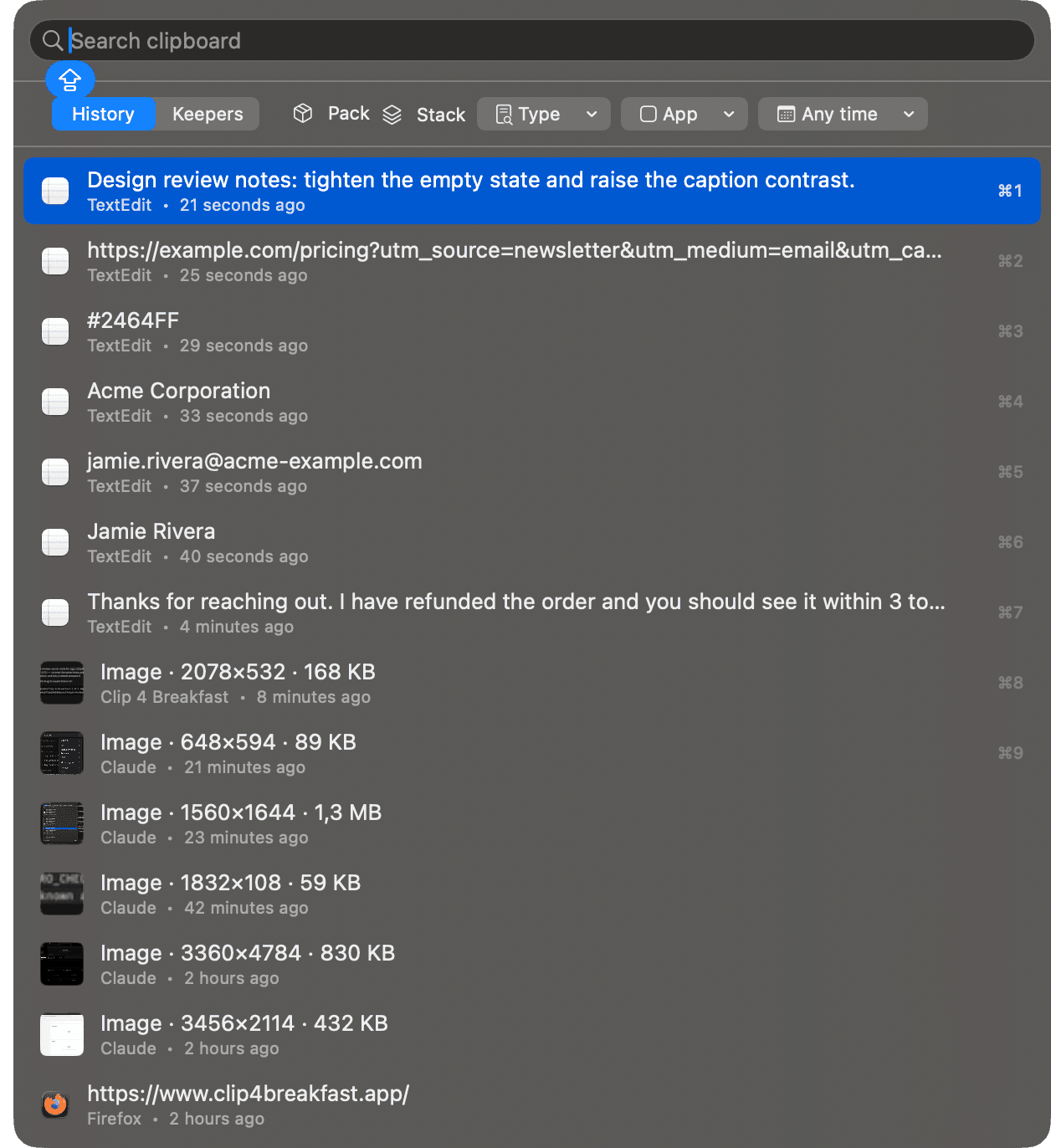
01
Recall
Find the clip without reopening the work behind it.
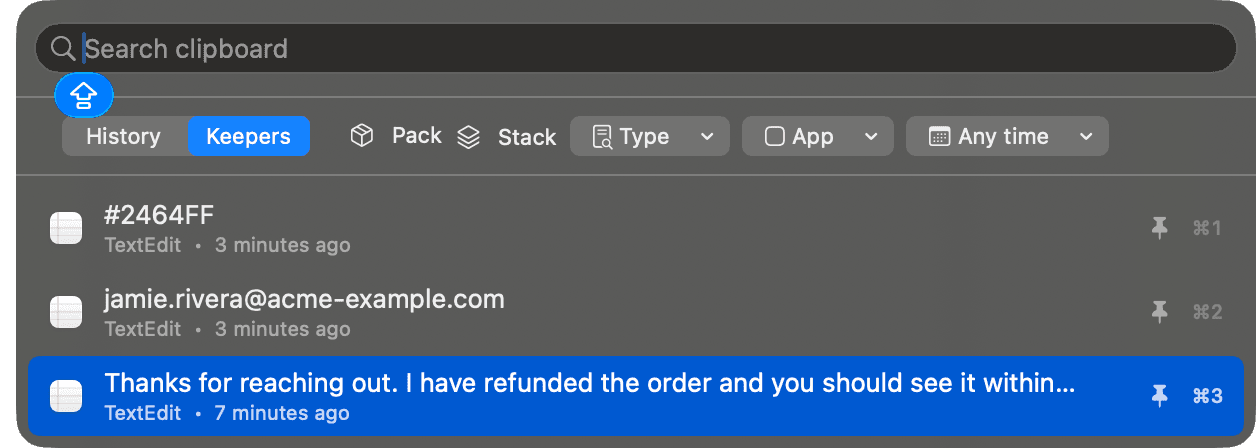
02
Keep
Turn temporary material into a named working set.
03
Transform
Change one paste without changing the stored original.
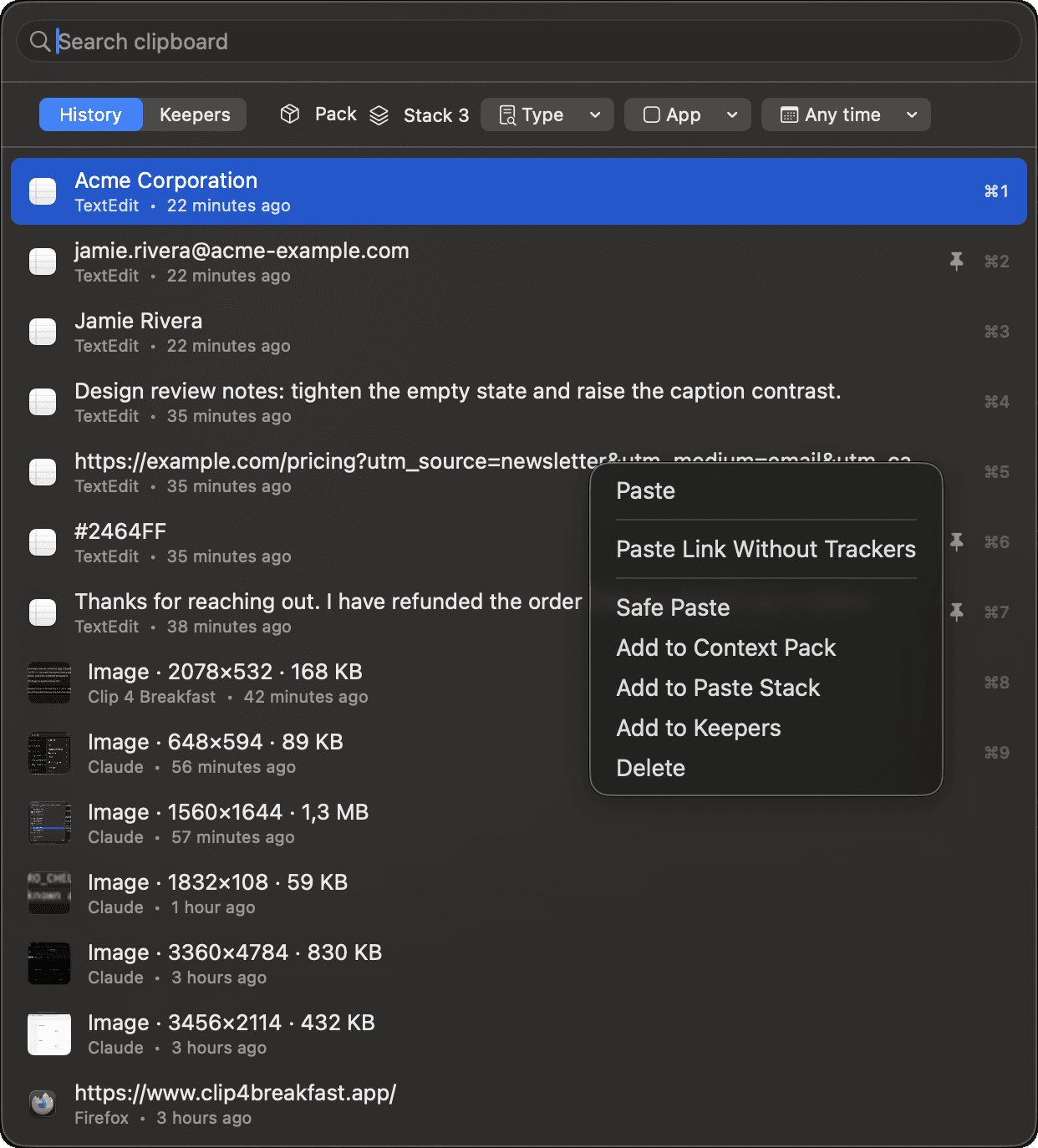
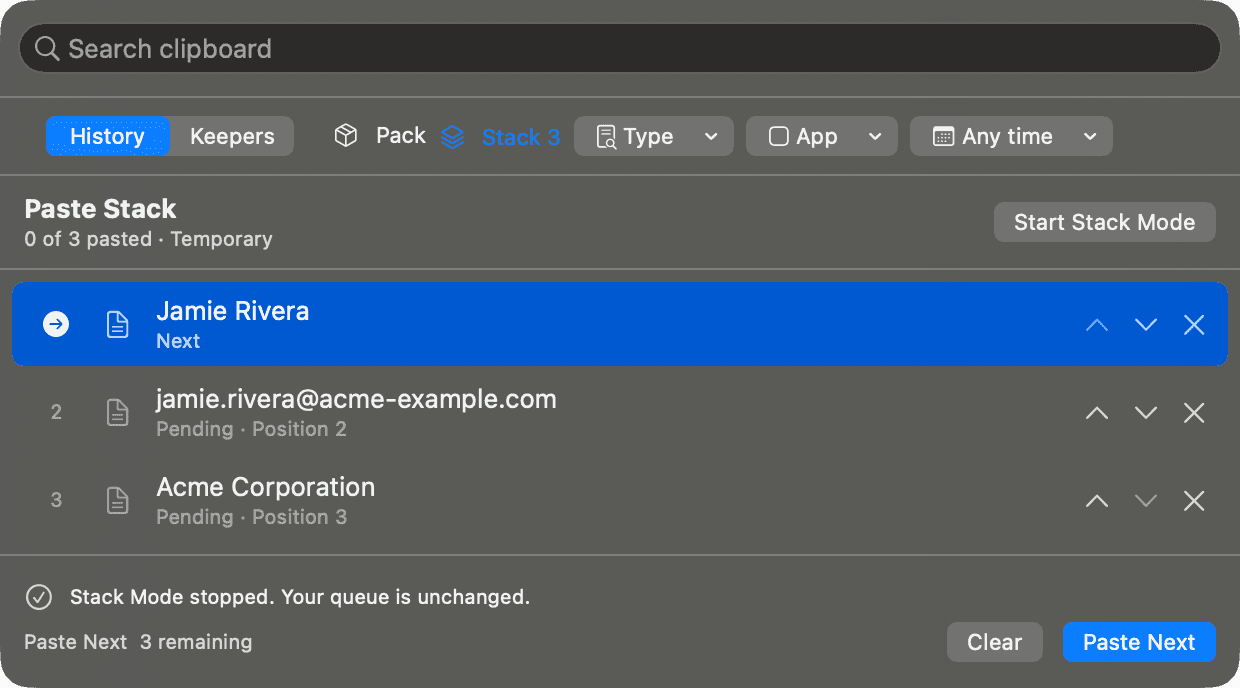
04
Deliver
Paste a prepared sequence in order.
Builder workflow
Build the context. Review what leaves.
Collect up to 20 clips into one ordered Markdown brief. Add an instruction, check the size, then copy or Safe Paste it into the work.
- 01Collect
Add selected clips with Shift-Command-S.
⇧⌘S - 02Order
Arrange code, errors, links, paths, and image metadata.
- 03Review
Replace supported sensitive patterns locally.
- 04Paste
Approve the redacted output and keep saved history unchanged.
01Temporary Context PackTrial + Pro
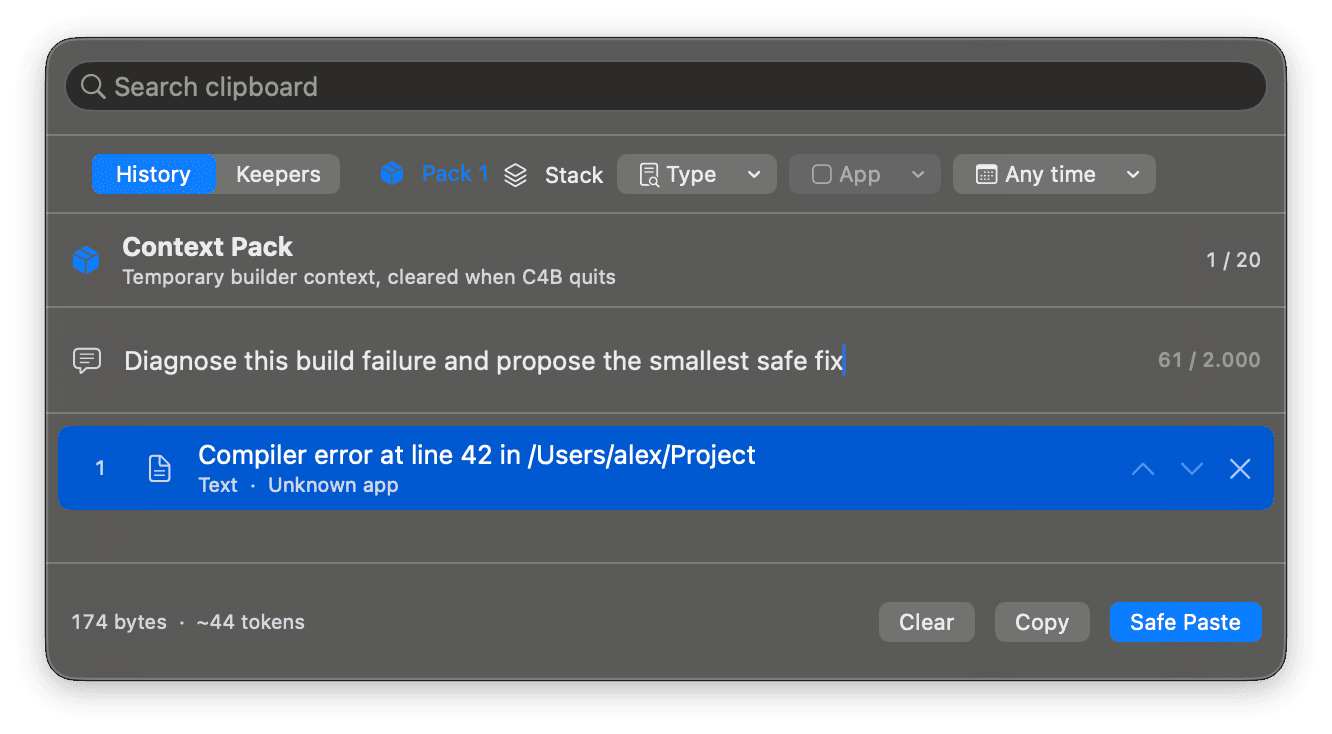
Code, errors, links, file paths, and image metadata stay in the order you choose. The pack stays in memory and clears when Clip 4 Breakfast quits.
02Local review before deliveryFree + Trial + Pro
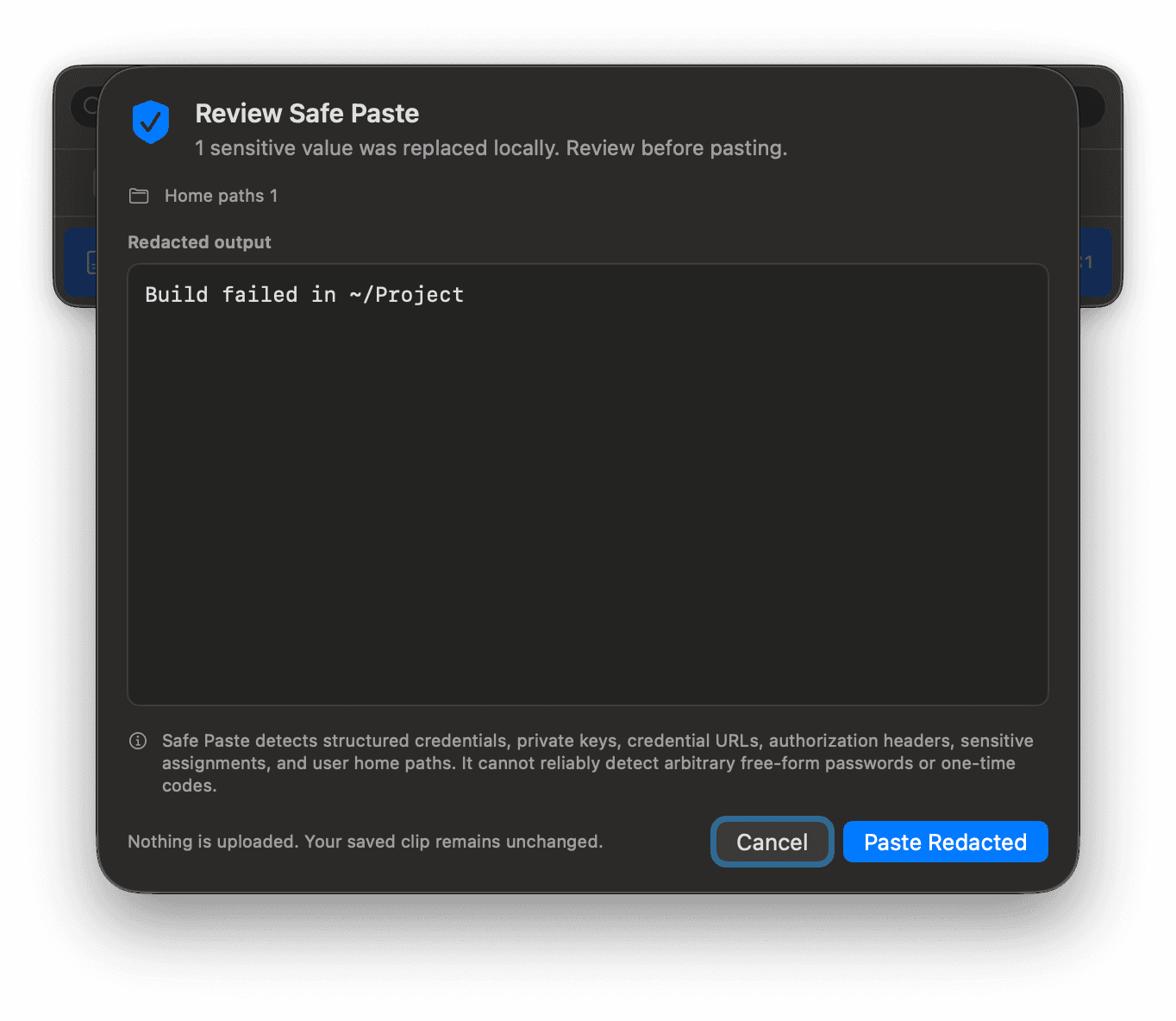
Supported sensitive patterns are replaced locally. You review the redacted result before it is pasted. Saved history stays unchanged.
Bounded on purpose
The honest limit: Safe Paste checks a bounded set of structured secrets and home paths. It cannot reliably identify every password or one-time code.
After the proof
The next paste is where the work happens.
Put recall, reusable material, controlled transforms, and delivery in one native macOS command center.
Protection before persistence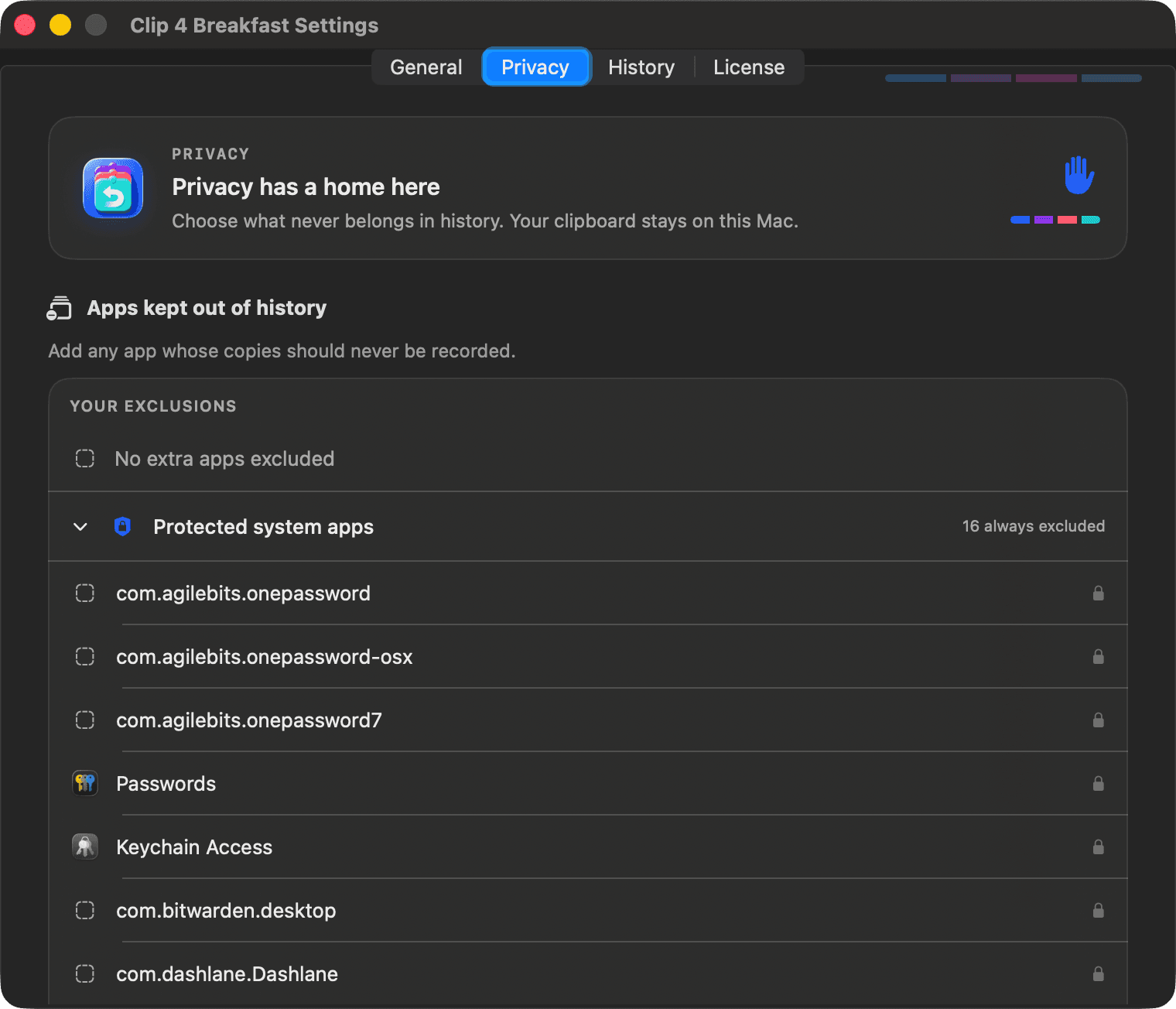
Private, with the boundary visible
A privacy firewall, not a slogan.
Local history, default exclusions, and high-signal secret rejection protect copied material before it is stored.
- 01Exclude the source
Password managers and Keychain Access stay out by default. Add any app you choose.
- 02Reject protected types
Concealed, transient, and auto-generated material is skipped where metadata allows.
- 03Stop high-signal secrets
Private keys, provider keys, and other bounded patterns are rejected before storage.
The honest limit: High-signal detection cannot reliably identify every free-form password or one-time code. Clip 4 Breakfast states that limit plainly.
Measured, not marketed
Performance discipline you can inspect.
These are local results from one Apple Silicon Mac and specific automated fixtures. They are not a controlled competitor benchmark or a promise for every Mac.
Physical footprint
Optimized Release trace on one Apple Silicon Mac, recorded 12 August 2026. This is not a universal guarantee.
Launcher first layout
Automated regression fixture below the current 80 ms budget. It is not a controlled competitor comparison.
Indexed store query
Release fixture with 10,000 mixed metadata rows. End-to-end user latency includes additional work.
Oversized image retained
A 52,428,801-byte promised PNG remained pasteable to an independent process but was not stored in history.
Still open: a base-spec Mac long-running energy session.
Why people switch
Trust built from evidence, not adjectives.
Every claim links to its evidence.
The performance ledger, the privacy firewall, and the footprint meter are not adjectives. They are numbers from a named build, dated and scoped.
See what was verifiedOpens normally on first launch.
A Developer ID certificate and Apple notarization mean there is no security workaround to click past, no warning to override.
See the download detailsNothing to leak, because nothing leaves.
No account, no cloud service, no analytics. Clipboard history lives in a local database on this Mac and nowhere else.
Read the privacy pageBuilt for people who already tried free tools and subscription apps, and wanted something that asks for neither.
Coming from one of them? Maccy or Paste or Raycast Clipboard History.
 02 / Session signal
A companion for AI-heavy work
Building with AI? Keep the other half visible.
Clip 4 Breakfast prepares ordered, reviewable context before it leaves your Mac. Tokens 4 Breakfast keeps usage, spend, subscriptions, and rate-limit pressure visible while the session runs.
Native macOS app · Local-first · One-time purchaseOwnership, not a subscription
Workflow power. One purchase.
Free for daily recall, for as long as you use it. One payment unlocks the workflow tools, because there is no recurring cloud service to fund.
What each tier gets you
Private, keyboard-first daily recall. Forever.
- Your 40 most recent clips
- Keyboard-first recall and paste-back
- Privacy firewall and Safe Paste review
- Footprint meter and retention controls
One-time purchase. First 500 customers, then $24.99.
- Plate Screenshot: one shortcut, framed on a designed backdrop
- Configured retention limits, not just 40 items
- Named Keepers: create, edit, search, reorder
- Paste Stack: queue clips, deliver in order
- Context Packs: up to 20 clips as one Markdown brief
- Every future update, major versions included
A 14-day Pro trial needs no credit card. It returns to Free when it ends: existing Keepers stay readable and an active Paste Stack can finish.
Your next paste is one shortcut away
Bring the workflow to your Mac.
Free to download, free to keep using. Recall, keep, transform, and deliver without breaking the work into separate tools.
Download for macOSNo account. No trial expiry countdown. Start with the free essentials today.