Clipboard data belongs on your Mac
Local by architecture. Honest about the limits.
Clipboard managers handle sensitive material by definition. Clip 4 Breakfast reduces that exposure before persistence and gives you explicit control over what remains.

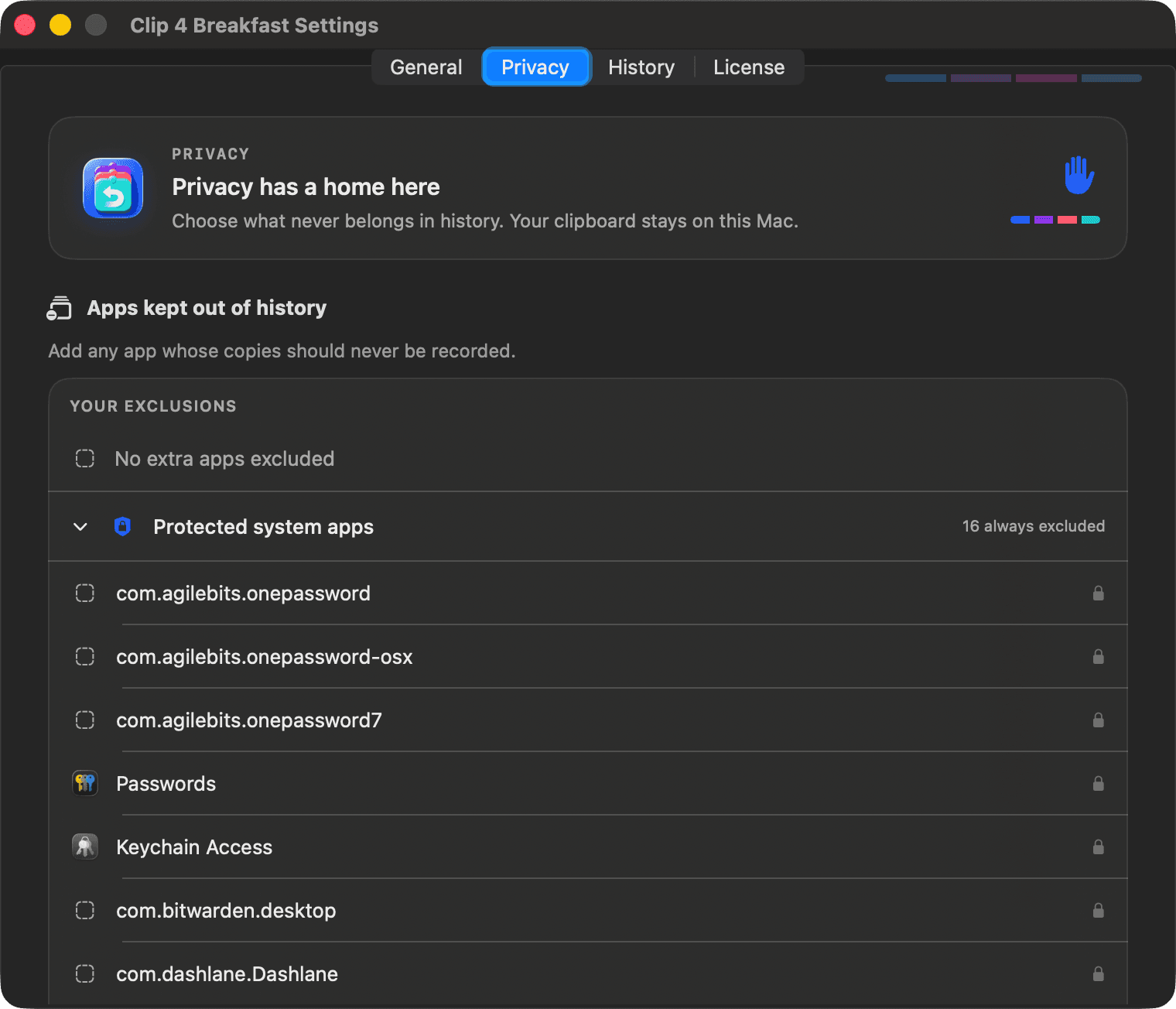
Stored under your user account with user-only file permissions.
The current native app includes no analytics or remote logging.
Clipboard content is not sent to a Clip 4 Breakfast server.
Three checks before storage
- Reject concealed, transient, or auto-generated pasteboard types before payload reads where metadata permits.
- Reject default password-manager and Keychain sources, plus applications you exclude.
- Reject a bounded set of high-signal secrets such as private-key blocks, provider keys, and JWTs.
Before delivery
Supported sensitive patterns are replaced locally. You review the redacted result before it is pasted. Saved history stays unchanged. Safe Paste performs no network request, AI processing, clipboard-content logging, file-content read, or embedded-image upload.
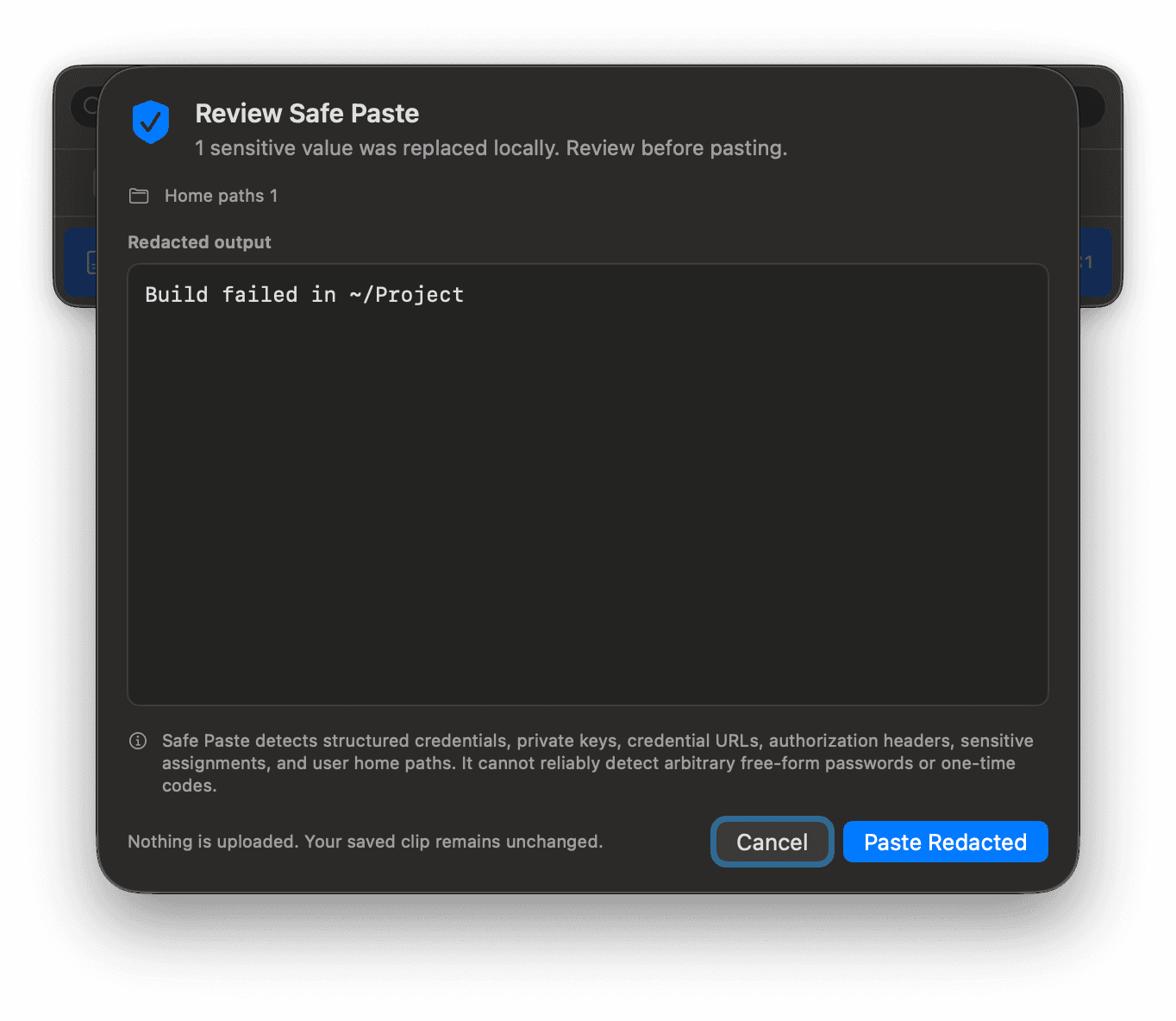
The Safe Paste boundary
Safe Paste checks a bounded set of structured secrets and home paths. It cannot reliably identify every password or one-time code. It is an additional review layer, not a guarantee that outbound text contains no sensitive material.
The limit we will not hide
High-signal detection cannot reliably identify every free-form password or one-time code. Clip 4 Breakfast states that limit plainly. You should still treat clipboard history as sensitive and use exclusions, pause, and short retention where appropriate.
Your controls
Pause capture, edit app exclusions, set item, age, and image-storage limits, clean up now, delete individual clips, or delete all history behind a confirmation dialog.
Your clipboard, on your Mac
Privacy is a workflow decision.
Use the native command center when local storage and visible boundaries matter to the work you are moving forward.